|
|
 |
|
Trimming the Fat Added on: Wed Apr 09 2003 |
| Page: 1 2 3 4 5 6 7 |
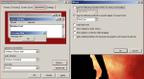
Ah what�s this? I skipped screen savers! Well if you want a real performance tip, here�s a whopper. if you use the stars screensaver (�The Zoomy one�.with stars� http://animoller.com/switch), you�ll increase your sex appeal to the opposite sex! (This not proven through scientific means). Unless you�re looking for a similar sex, in which case�oh never mind.
Moving on to Appearances, we see the first major GUI hogs. Notice how women in high heels never win any sprint races? Looks aren�t everything. Here we can switch back to the default windows/buttons style of Windows 2000, as well as disabling a host of graphical effects. The only thing useful here is Cleartype, which really helps if your powering your system with an LCD�makes the text look hella good. If you don�t notice any difference, just disable it.
Miscellaneous Windows Chores
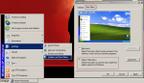
I�d give this its own little bold title, but its so small and insignificant, I figured it could do with just a little blurb. Well here we are at the taskbar. I didn�t show the original XP taskbar menu system, cause its just plain horrific. This one�s pretty simple to do. Just follow the image, and you�ll reach blissful win2kness in no time.
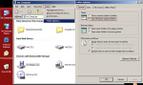
Ah Microsoft�how you piss everyone off. Once again if your looking to revert back to the snappier Win2k method of things, you�ll have to bury yourself into the folder options and swap it back over to �classic� mode�Do either of these two settings mentioned effect performance? Not really�but they do effect usability, reverting Windows XP back to the previous win2k layout, which increases efficiency (you don�t have to learn the new layout). So you could say it greatly enhances performance. It all depends on whom you talk to, and how much beer they�ve had to drink.
|
 |
|
|


